


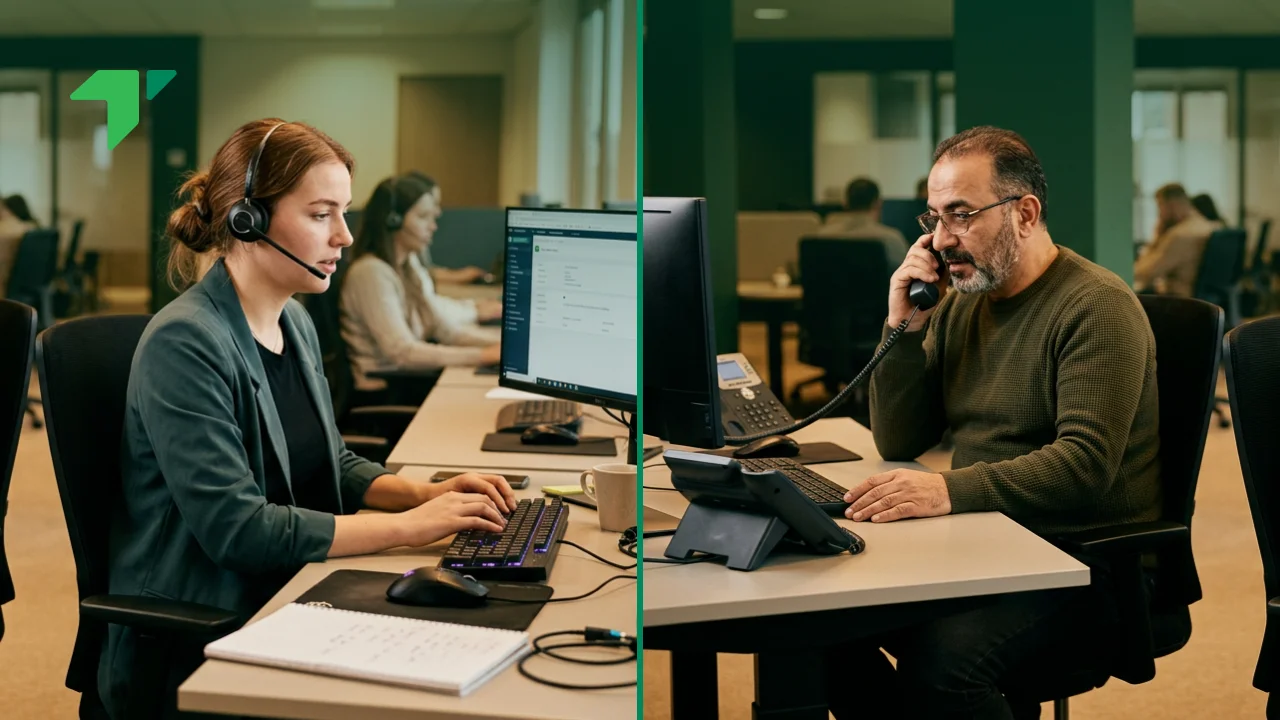
Automated outbound calling helps businesses reach more people with less manual effort. Instead of agents dialing phone numbers one by one, waiting through rings, listening to voicemails, logging outcomes, and moving on to the next contact by hand, automated outbound calling software takes over most of that repetitive work. The result is a faster, more consistent, and more scalable way to run outbound campaigns.
But the term is often misunderstood. Some people hear “automated outbound calling” and think only of robocalls or spam. In practice, legitimate automated outbound calling shows up across sales, customer service, healthcare, collections, appointment reminders, surveys, customer onboarding, and proactive support. When it’s implemented well, it isn’t just a faster way to dial. It’s an operational system that ties together dialer software, CRM data, call routing, agent workflows, compliance controls, analytics, and campaign automation into one coordinated process.
This guide walks through what automated outbound calling actually means, how it works in practice, which dialer types exist and when to use them, where different industries put it to use, and what to look for when choosing a platform.
Direct Answer
Automated outbound calling is technology that lets businesses place outgoing calls automatically from a curated contact list using dialer software. When a call connects, the system either routes the live answer to an available agent or delivers an automated voice message through an IVR workflow, depending on how the campaign is set up. Businesses turn to automated outbound calling to improve agent productivity, extend campaign reach, cut down on manual dialing, automate reminders, speed up lead response, collect feedback, and manage high-volume outreach without adding headcount at the same rate.
Automated Outbound Calling in Practice
The concept becomes much easier to picture through a few real scenarios.
Collections outreach. A debt collection team uploads two thousand accounts into its outbound dialing platform every morning. Before a single call goes out, the system works through a short checklist on its own:
- Removes duplicate records
- Scrubs contacts against Do Not Call lists
- Checks time-zone restrictions
- Starts dialing eligible numbers
- Detects live answers and filters voicemails or disconnected numbers
- Routes answered calls to an available agent
- Logs outcomes in the CRM
The practical effect is that agents stop spending most of their day dialing and start spending it talking, discussing payment options with account holders and documenting what was agreed rather than chasing numbers.
SaaS free trial follow-up. A SaaS company runs a free trial program, and when a trial user reaches day seven without upgrading, the CRM automatically triggers an outbound call workflow. The dialer places the call, and if the user picks up, it’s routed to a sales representative who already has the account’s profile pulled up on screen, including:
- Trial start date
- Product usage and features used
- Email engagement
- Account size
- Previous support tickets
That context means the conversation starts from something real rather than a generic opening pitch.
Healthcare appointment reminders. A clinic uses automated outbound calling specifically to cut down on no-shows. The system calls patients forty-eight hours ahead of their appointment and plays a short recorded reminder, asking them to press 1 to confirm, 2 to reschedule, or 3 to request a callback. Whatever they choose gets captured automatically and reflected in the scheduling system without anyone on staff having to touch it, which both reduces administrative load and, over time, measurably improves attendance.
Automated Outbound Calling vs. Manual Outbound vs. Inbound Calling
It helps to think of automated outbound calling as sitting between traditional manual outreach and inbound support, since each model exists to solve a different problem.
| Feature | Automated Outbound Calling | Manual Outbound Calling | Inbound Calling |
|---|---|---|---|
| Who initiates | Business through software | Agent manually | Customer |
| Dialing method | Automated dialer | Manual dialing | Customer calls in |
| Best use case | Scale, speed, repeatable outreach | High-touch personalized outreach | Customer support |
| Agent idle time | Low | High | Depends on queue volume |
| CRM updates | Often automated | Often manual | Usually automated |
| Compliance controls | Built into platform | Agent-dependent | Platform-supported |
| Scalability | High | Limited | Demand-driven |
Manual calling isn’t obsolete, and it shouldn’t be treated as a lesser version of automation. It tends to work best when outreach is highly personalized, low in volume, or fundamentally relationship-driven, things like enterprise account follow-up, executive outreach, complex renewal conversations, strategic partnership calls, or sensitive customer recovery situations. In these cases preparation matters more than speed, and rushing the process with automation would work against the goal.
Automated outbound calling earns its place when teams need to reach larger lists efficiently: sales prospecting, appointment reminders, collections outreach, customer surveys, payment notifications, renewal reminders, event confirmations, and proactive service updates all fit this pattern. The underlying goal in every case is the same, cutting down on repetitive dialing work so more of the team’s time goes toward productive conversations.
What Is Automated Outbound Calling, Exactly?
At its core, automated outbound calling is the process of using software to place outgoing calls automatically from a contact list, while the system itself manages dialing, detects call outcomes, handles routing, and takes care of logging and reporting. Depending on how the campaign is configured, the call that connects might be picked up by a live agent, or it might be handled entirely by an automated voice workflow.
Two Main Operating Models
Agent-assisted automated outbound calling. Here, the dialer places calls automatically and connects any live answer to a human agent. This is the model behind most sales outreach, lead generation, collections, customer retention, appointment setting, renewal campaigns, and win-back campaigns. The system takes care of the repetitive mechanics, and the agent takes care of the conversation. It’s the right fit whenever a call genuinely needs human judgment, persuasion, empathy, negotiation, or qualification, things software still can’t replicate on its own.
A typical agent-assisted workflow runs like this:
- The system loads a campaign list.
- The dialer places calls automatically.
- Voicemail, no-answer, and busy outcomes are filtered.
- A live answer is detected.
- The call routes to an available agent.
- Customer details appear on the agent’s screen.
- The agent conducts the conversation.
- The outcome is logged automatically, and follow-up tasks are created if needed.
The net effect is that agents spend far less time managing call logistics and far more time actually talking.
Fully automated outbound calling. In this model, no live agent joins the call unless the workflow specifically allows for escalation. Instead, the system delivers a recorded or AI-powered voice interaction, which is the standard approach for appointment reminders, payment reminders, delivery notifications, emergency alerts, school announcements, customer surveys, service outage updates, and event reminders. The person on the other end responds through keypad input or voice recognition rather than talking to a person.
A fully automated call might sound something like: “Hello, this is a reminder about your appointment with [Clinic] on Thursday, May 14 at 10:00 AM. Press 1 to confirm, press 2 to reschedule, or press 3 to speak with our team.” The system captures whatever response comes back and updates the relevant platform immediately, cutting down on administrative work while still giving the customer a fast, low-friction way to respond.
What Automated Outbound Calling Is Not
It’s worth being direct about this: automated outbound calling is not automatically spam, it is not automatically illegal, and it is not always robocalling. The difference comes down to purpose, consent, configuration, compliance, and the experience the customer actually has. Responsible use of the technology tends to include:
- A legitimate business purpose
- Clean and compliant contact lists
- Consent where required
- Clear caller identification
- Opt-out options where applicable
- Respect for calling hours
- Secure data handling
- Accurate records and responsible frequency controls
The technology itself is neutral. It’s the way an organization chooses to use it that determines whether it creates value or risk. You’ll also see the same idea described under a handful of different names, automated dialing, auto dialing, outbound dialing, dialer software, automated calling platform, automated outbound dialer, auto dialer system, or outbound campaign dialer. The terminology varies, but the core idea stays the same: software automates the process of placing outbound calls.
Core Components of an Automated Outbound Calling System
A strong platform is really made up of several connected layers, and each one has a real effect on how well campaigns actually perform.
The dialer engine is the core automation layer, and it’s what determines when calls go out, how many go out at once, and how each outcome gets handled. Depending on the platform, it may support predictive dialing, power dialing, progressive dialing, preview dialing, IVR outbound calling, or voice broadcasting, and it needs to reliably detect outcomes such as:
- Live answers
- Voicemail
- Busy signals and no answers
- Disconnected numbers
- Fax lines
- Other automated systems on the receiving end
Ultimately, the dialer engine is responsible for balancing speed, efficiency, compliance, and the customer’s actual experience of receiving the call.
The contact database holds everyone included in outbound campaigns, typically storing fields like contact name, phone number, account ID, customer segment, lead source, consent status, time zone, campaign assignment, retry schedule, previous outcome, and CRM owner. Data quality here is critical in a way that’s easy to underestimate: a campaign built on poor data will produce poor results no matter how strong the dialer technology is. Before a campaign launches, it’s worth stripping out:
- Duplicate records
- Invalid numbers
- Restricted contacts
- Outdated records
- Contacts without proper consent
- Numbers on suppression lists
Clean data has a direct effect on connect rates, conversion rates, compliance, and even agent morale.
CRM integration is what connects outbound calling to the customer data that already exists in platforms like Salesforce, HubSpot, Zoho CRM, Pipedrive, or Microsoft Dynamics. A strong integration handles automatic call logging, screen pops, contact history, lead status updates, follow-up task creation, disposition syncing, workflow triggers, and real-time data updates. Without it, agents end up updating records by hand, which slows things down and introduces more errors than most teams realize.
Call routing determines where a connected call actually goes, and it can depend on agent availability, agent skill, language preference, campaign type, customer segment, IVR response, account owner, or priority level. Fast, accurate routing matters more than it might seem, because delays create real problems. If a customer answers and sits in silence before an agent joins, trust drops immediately, and that first impression is hard to recover from later in the call.
The compliance layer exists to protect campaigns from avoidable legal and operational risk. Important controls include Do Not Call scrubbing, consent tracking, time-zone enforcement, opt-out management, call recording notices, abandoned call controls, retry limits, audit logs, role-based access, and data retention rules. This layer works best when it’s built into the workflow itself rather than left to individual agents to remember and apply consistently.
Analytics and reporting show whether outbound campaigns are actually working, tracking call attempts, connect rate, answer rate, conversion rate, abandonment rate, agent talk time, average handle time, disposition outcomes, cost per contact, revenue generated, and overall campaign ROI. The best analytics don’t just display numbers back at a manager, they help that manager understand what specifically needs to change.
How Automated Outbound Calling Works, Step by Step
Step 1: Build and clean the contact list
Every campaign starts with a list, which might come from CRM records, marketing automation platforms, CSV uploads, API feeds, lead generation tools, customer lifecycle triggers, payment systems, or scheduling systems. Before dialing begins, that list needs validation, checking phone number format, catching duplicate records, confirming consent status, cross-referencing suppression lists, accounting for customer time zones, verifying campaign eligibility, and reviewing previous contact history. This step gets skipped more often than it should, but it has a direct effect on everything that follows.
Step 2: Configure the campaign
Administrators set the rules the campaign will run under: campaign objective, dialing mode, agent assignment, calling windows, retry rules, time-zone restrictions, call recording settings, IVR messages, disposition codes, CRM sync rules, and compliance controls. The configuration needs to match the use case, since a sales prospecting campaign and a healthcare reminder campaign call for very different rules.
Step 3: Start the automated dialing process
The dialer begins placing calls according to whichever mode was selected. A power dialer calls one contact per agent. A predictive dialer calls multiple contacts based on anticipated agent availability. A preview dialer shows the record before dialing. An IVR dialer plays an automated message instead of connecting a person at all. Throughout, the system continuously detects outcomes and updates the campaign’s status in real time.
Step 4: Route the call or deliver the automated message
In an agent-assisted campaign, live answers route to agents, who should receive the customer’s profile immediately so the conversation can begin with context already in hand. In a fully automated campaign, the system plays the message or IVR workflow instead, and the customer confirms, reschedules, makes a selection, or requests a callback as needed.
Step 5: Log outcomes and trigger follow-up
After the call ends, the system updates records on its own, which can include the call disposition, a link to the recording, notes, a survey response, an appointment confirmation, a payment promise, a callback request, a follow-up task, or an updated lead status. This automation cuts down on manual administration and noticeably improves reporting accuracy.
Step 6: Analyze and optimize
Managers review how the campaign actually performed and adjust from there, refining call timing, list segmentation, retry logic, dialing mode, agent assignment, scripts, IVR prompts, or compliance settings. Automated outbound calling isn’t a system you set up once and walk away from. It performs best when teams keep optimizing it over time.
Types of Automated Outbound Calling Systems
Different dialer types exist because different goals call for different approaches.
| Dialer Type | How It Works | Best For | Main Advantage |
|---|---|---|---|
| Predictive dialer | Dials multiple numbers based on agent availability | Sales and collections | Maximum productivity |
| Power dialer | Dials one number per available agent | SDR prospecting | Speed with control |
| Progressive dialer | Dials when agent is ready | Complex or regulated calls | Balance and preparation |
| Preview dialer | Shows customer record before dialing | High-value accounts | Personalization |
| IVR outbound | Delivers automated interaction | Reminders and surveys | No agent required |
| Voice broadcast | Sends one-way message | Alerts and announcements | Massive reach |
Predictive dialers use algorithms to estimate when agents will become available and place multiple calls at once on that basis, which is designed for high-volume campaigns where the priority is maximizing live conversation volume. This approach fits lead generation, collections, telemarketing, surveys, renewal outreach, and large-scale sales campaigns particularly well, and it can dramatically improve agent productivity, but it requires careful pacing controls to avoid abandoned calls, where a customer answers and no agent is actually ready to take the call.
Power dialers automatically place one call at a time for each available agent, which makes them less aggressive than predictive dialing while still being far faster than dialing by hand. They tend to work well for SDR outreach, warm lead follow-up, appointment setting, SMB sales teams, and customer success campaigns, giving agents more control while still cutting down significantly on manual effort.
Progressive dialers wait until an agent is actually available before placing the next call, which helps reduce abandoned calls and gives agents a more controlled, predictable workflow. This makes them a strong fit for healthcare outreach, financial services, insurance follow-up, customer retention, and mid-volume sales campaigns, particularly in situations where compliance and customer experience matter just as much as raw volume.
Preview dialers display customer information before the call goes out, giving agents a chance to review account history, CRM notes, previous interactions, open opportunities, payment history, and support cases beforehand. This is the right choice for high-value accounts, enterprise sales, complex renewals, relationship-driven outreach, and sensitive conversations, though the tradeoff is clear: agents make fewer calls in exchange for each one being better prepared.
IVR-based outbound calling delivers automated voice interactions without needing a live agent at all, which suits appointment reminders, payment reminders, delivery updates, satisfaction surveys, and service notifications. Customers respond through keypad input or voice commands, which works well as long as the interaction stays structured and simple.
Voice broadcast sends a pre-recorded message out to large contact lists at once, and it’s typically reserved for emergency alerts, school closures, public announcements, event reminders, and service interruption notices. Because a one-way broadcast to a large list can feel intrusive if it’s mishandled, it usually calls for careful compliance review before it goes out.
Benefits of Automated Outbound Calling
Businesses rarely adopt automated outbound calling because they want more technology for its own sake. They adopt it because they need better operational outcomes, and the real value isn’t that calls go out faster. The value comes from how it changes the way teams allocate time, manage customer interactions, run campaigns, and measure performance.
Increased agent productivity is usually the most immediate benefit. In a manual environment, agents lose a surprising amount of time to tasks that have nothing to do with actual conversation:
- Searching for contact information
- Dialing numbers manually
- Waiting through unanswered calls
- Listening to voicemails and leaving repetitive messages
- Logging outcomes and updating CRM records
- Scheduling callbacks
Individually these tasks take seconds or minutes, but across hundreds of calls a day they eat up a substantial share of an agent’s shift. Automated dialing removes most of that administrative burden, and the agent effectively shifts from being a call coordinator to being a conversation specialist, with talk time going up as idle time comes down, often without adding a single new hire.
More consistent customer outreach follows naturally once the process is automated, because manual processes tend to be inconsistent by nature. Some agents follow up diligently while others forget, and some contacts get called several times in a short window while others get missed entirely. Automated systems apply the same rules every time, governing how often contacts get called, when calls happen, which outcomes trigger a follow-up, which agents receive which contacts, and how callbacks get scheduled. Customers end up receiving communication that feels timely and predictable rather than something that depends on which agent happened to handle their account that day.
Faster lead response times matter more than most sales teams give them credit for. Research consistently shows that response speed influences conversion rates, and a prospect who reaches out today may already be talking to a competitor tomorrow. Automated outbound workflows can respond the moment a prospect takes an action, whether that’s completing a contact form, downloading a guide, requesting a demo, registering for a webinar, or visiting a pricing page, engaging them while their interest is still at its peak rather than waiting for someone to get around to a manual follow-up.
Improved campaign scalability becomes essential as organizations grow, since manual outbound processes get harder to manage the moment volume increases. A team handling a hundred calls a day by hand will struggle badly if that number becomes a thousand. Automation lets organizations increase outreach volume without a proportional increase in complexity, making it possible to launch larger campaigns, run several at once, support distributed teams, coordinate across regions, and keep reporting consistent even as requirements shift.
Better reporting and visibility is a benefit that’s easy to underestimate. Without centralized reporting, it’s genuinely difficult to answer basic questions like which campaigns are performing best, which lead sources actually convert, which agents get the strongest results, which contact segments respond most often, and what times of day produce the highest connect rates. Automated outbound calling platforms capture this information as a byproduct of running the campaign, which means managers can make decisions based on evidence rather than assumptions.
Common Use Cases Across Industries
Automated outbound calling reaches well beyond sales prospecting, and different industries have shaped it to their own needs.
Sales prospecting and lead generation remains one of the largest use cases, since outbound prospecting depends on consistent outreach and sustained activity levels. Automation helps sales teams increase daily call volume, prioritize leads more effectively, cut down on administrative work, keep follow-up consistent, and accelerate qualification, all in service of a goal that isn’t really about making more calls but about creating more meaningful conversations with the right prospects.
Appointment reminders address a real operational cost: missed appointments create inefficiency and lost revenue for healthcare providers, service businesses, financial advisors, and professional service firms alike. Automated reminders can confirm appointments, provide instructions, collect responses, and trigger rescheduling workflows, improving attendance while taking work off administrative staff.
Customer retention and renewals tend to be far cheaper than acquiring new customers, and automated outbound campaigns support this by helping organizations:
- Contact customers before renewal dates
- Identify at-risk accounts
- Promote loyalty programs
- Encourage contract extensions
- Re-engage customers who’ve gone quiet
This helps organizations manage relationships proactively rather than only reacting once a customer is already halfway out the door.
Collections and payment reminders involve large contact volumes that automation is particularly well suited to streamline, covering payment reminders, account follow-up, settlement discussions, promise-to-pay tracking, and delinquency outreach. Automating the routine parts frees agents to focus their attention on the conversations that genuinely require negotiation or problem-solving.
Surveys and feedback collection are notoriously expensive and inconsistent to run manually. Automated outbound systems can conduct satisfaction surveys, service quality surveys, product feedback programs, and post-interaction evaluations, with results feeding directly into reporting systems without extra manual work.
Emergency notifications and alerts rely on speed and reach rather than personalized conversation, which is exactly what automated outbound calling is built to deliver for school closures, service outages, public safety notifications, weather alerts, and utility updates.
Compliance Requirements for Automated Outbound Calling
Compliance is one of the most important, and most frequently overlooked, aspects of running automated outbound calling well. Many organizations focus heavily on dialing capability while giving far less attention to their regulatory obligations, and that imbalance creates real risk. Outbound communication touches consumers and customers directly, which is why regulators have introduced rules meant to protect people from excessive, deceptive, or unwanted contact. Getting this wrong can mean:
- Financial penalties
- Legal action
- Customer complaints
- Brand damage
- Reduced deliverability
- Operational restrictions
So compliance is best treated as a strategic requirement rather than a technical box to check.
- Consent management: Many jurisdictions require some form of consent before a business can contact someone using automated systems, which means organizations need clear records of how and when consent was obtained, what types of communication it covers, and whether it’s since been withdrawn. That tracking works best when it’s built directly into the outbound workflow rather than handled separately.
- Do Not Call management: Organizations also need suppression controls that prevent contact with restricted individuals, typically combining internal suppression lists, national Do Not Call registries, customer opt-outs, and regional restrictions, with automation helping ensure these controls get applied consistently rather than depending on an agent remembering to check.
- Time-zone restrictions: Calling customers at the wrong time creates both compliance risk and a poor customer experience, so modern outbound systems generally enforce time-zone rules and campaign-specific calling windows automatically, which helps prevent accidental violations while also protecting how customers perceive the business.
- Recording and privacy requirements: Many outbound campaigns also involve call recording, which brings its own set of considerations around disclosure requirements, storage obligations, data retention policies, and customer privacy expectations. These requirements vary by jurisdiction and industry, so legal guidance is often worth seeking out for any organization operating across multiple regions.
Challenges of Automated Outbound Calling
Automation brings real advantages, but it isn’t without its limitations, and understanding those limitations is part of building a better program.
Poor data quality is amplified by automation rather than fixed by it. If contact data is inaccurate, automating the process simply scales the problem faster, whether that shows up as outdated phone numbers, duplicate records, incorrect segmentation, missing consent information, or incomplete customer profiles. Strong data governance is essential precisely because automation removes the manual checkpoints that might otherwise catch these issues.
Over-automation is a trap some organizations fall into by trying to automate every single interaction. Customers generally appreciate automation when the task is simple, the process is efficient, and human help is still available if they need it, but frustration sets in fast when automation becomes a barrier between them and an actual person. The goal should be intelligent automation, not maximum automation.
Weak call routing creates a specific kind of damage: a customer who answers shouldn’t have to sit through long delays before reaching an agent. Poor routing leads to silent pauses, abandoned calls, frustration, and lower conversion rates, and because routing performance has such a direct effect on customer experience, it deserves close attention during setup and ongoing monitoring.
Lack of campaign optimization undermines even a well-built system, since automation doesn’t remove the need for active management. Campaigns still need testing, monitoring, reporting, and refinement, and organizations that treat automation as a finished product rather than an ongoing process tend to see performance decline over time.
How to Choose Automated Outbound Calling Software
Selecting a platform involves more than comparing feature lists side by side. It means evaluating how well a given solution actually aligns with an organization’s specific operational needs.
The starting point should always be the business objective, since different goals call for different priorities:
| Objective | Priority Features |
|---|---|
| Lead generation | Predictive dialing, CRM integration |
| Appointment reminders | IVR workflows, automation |
| Collections | Compliance controls, predictive dialing |
| Customer retention | Segmentation, routing, analytics |
| Surveys | Automated response collection |
Letting the objective drive the selection, rather than the feature list, keeps the decision grounded.
From there, it’s worth evaluating which dialing modes actually match the team’s workflow, predictive, power, progressive, preview, IVR outbound, or voice broadcasting, since the best platform isn’t necessarily the one with the most modes available but the one that fits how the team actually operates.
CRM integration depth deserves real scrutiny too, since many vendors claim integration but the quality varies enormously. Look for capabilities such as two-way synchronization, automated call logging, screen pops, workflow triggers, lead updates, and reporting integration, since a deep integration often delivers more practical value than an extra dialing feature ever will.
Analytics capabilities should be judged on whether they answer real questions, not just display numbers, covering connect rates, conversion rates, agent performance, campaign outcomes, revenue attribution, and customer engagement. The best analytics help improve the next campaign rather than just documenting the last one.
Finally, scalability is worth thinking through early, since a platform that works well for ten agents may not hold up at a hundred. Considering user growth, geographic expansion, compliance requirements, campaign complexity, and omnichannel needs upfront can save a costly migration down the line.
The Role of AI in Automated Outbound Calling
Artificial intelligence is changing how outbound operations run, and the most valuable applications are the ones focused on decision-making rather than simple automation for its own sake.
- Predictive lead prioritization: AI can analyze historical data to identify which contacts are most likely to engage or convert, helping teams focus their effort where it stands the best chance of paying off.
- Best-time-to-call optimization: AI can also identify patterns in when different customers tend to answer and recommend the best times to call, improving connect rates without requiring any increase in call volume.
- Conversation intelligence: This takes things further by analyzing the calls themselves to surface common objections, sentiment shifts, coaching opportunities, compliance risks, and patterns that tend to lead to conversion, giving managers real insight to improve both scripts and agent performance.
- Automated follow-up recommendations: AI can recommend what should happen next based on how an interaction actually went, whether that’s scheduling a callback, sending an email, triggering an SMS message, escalating an opportunity, or reassigning a contact, helping maintain momentum across the customer journey rather than letting it stall after a single call.
Frequently Asked Questions
What is automated outbound calling?
Automated outbound calling is the use of software to place outgoing calls automatically from a contact list. The system manages dialing, routing, logging, reporting, and follow-up workflows. Calls may connect to live agents or use automated voice interactions depending on the campaign objective and business requirements.
Is automated outbound calling the same as a robocall?
No. Robocalls are only one form of automated outbound calling. Many legitimate business applications use automation to connect customers with live agents, deliver appointment reminders, collect survey responses, or provide service updates while following applicable compliance and consent requirements.
What industries use automated outbound calling?
Common industries include healthcare, financial services, insurance, retail, SaaS, telecommunications, education, government, utilities, and collections. Any organization that needs to communicate proactively with large numbers of customers or prospects can benefit from outbound automation.
What is the difference between predictive and power dialing?
Predictive dialing places multiple calls based on anticipated agent availability to maximize productivity. Power dialing places one call per available agent at a time. Predictive dialing prioritizes volume, while power dialing provides more control and is often preferred for consultative outreach.
Can automated outbound calling integrate with CRM systems?
Yes. Most modern platforms integrate with CRM systems such as Salesforce, HubSpot, Zoho CRM, and Microsoft Dynamics. These integrations help automate call logging, update contact records, trigger workflows, and provide agents with customer context during conversations.
How does AI improve automated outbound calling?
AI improves outbound calling through predictive lead scoring, best-time-to-call recommendations, conversation analytics, intelligent routing, sentiment detection, and automated follow-up suggestions. These capabilities help organizations improve efficiency, customer engagement, and conversion outcomes.
Transform Outbound Engagement With TabaTalk
At its best, automated outbound calling helps businesses create more meaningful conversations rather than simply place more calls. TabaTalk’s AI-powered contact center platform combines intelligent dialing, CRM integration, automation, compliance controls, analytics, and conversation intelligence to help organizations scale outreach while keeping the customer experience genuinely human.
Whether the goal is running sales campaigns, sending appointment reminders, driving customer retention programs, or delivering proactive service outreach, TabaTalk helps teams automate the repetitive processes so they can focus on what actually matters: genuine customer conversations. As the TabaTalk brand philosophy puts it, technology should simplify communication, not complicate it. The aim is seamless conversations and natural connections that help businesses grow.
Conclusion
Automated outbound calling has evolved far beyond the simple auto dialers it started as. Modern platforms bring together dialing automation, CRM integration, intelligent routing, compliance management, analytics, and AI-powered optimization into one unified operational system. For organizations managing large-scale outreach, the payoff is substantial: better productivity, faster response times, stronger customer engagement, clearer reporting, and greater scalability.
But none of that comes from the technology alone. Success still depends on quality data, compliance discipline, thoughtful campaign design, and a willingness to keep optimizing over time. When those elements come together, automated outbound calling stops being just an efficiency tool and becomes something closer to a genuine strategic advantage, helping businesses connect with customers more effectively, operate more efficiently, and grow with confidence.