



Every platform in this comparison will tell you it delivers connected customer experiences across every channel. The marketing language is indistinguishable. The actual products are not.
Each platform on this list has made a deliberate bet about who it serves. Genesys bet on large enterprises willing to pay for depth they may never fully use. Freshdesk bet on small teams who need to get started fast without a dedicated IT resource. Dialpad bet that AI coaching during live calls is the differentiating capability for the next decade. Those bets shape every design decision downstream, what integrations get prioritized, how the pricing scales, what takes three clicks versus thirty.
This guide tries to name those bets plainly, including for TabaTalk, so you can match the platform’s assumptions against your actual operating environment rather than evaluating feature lists in the abstract.
Key Takeaways
- Omnichannel contact centre software is valuable when customer context follows users seamlessly across chat, email, voice, and other channels.
- The biggest difference between platforms is not feature lists, but the type of business and workflow each platform is designed to support best.
- Successful platform evaluation starts with identifying where your current customer handoff failures actually happen.
- Integration quality with CRMs and support tools matters more than the number of supported communication channels.
- TabaTalk is best suited for mid-market GCC businesses that prioritize voice quality, fast deployment, AI routing, and operational simplicity.
- Genesys is ideal for large enterprises needing deep customization, AI orchestration, and complex compliance capabilities.
- Freshdesk offers fast setup and ease of use for smaller support teams but becomes limiting at larger operational scale.
- Dialpad focuses heavily on AI-powered live call coaching and real-time agent assistance for sales-driven teams.
- Five9 stands out for outbound operations, predictive dialing, workforce optimization, and large-scale contact centre management.
- Pricing models should be evaluated against projected 18-month growth, not only current team size or call volume.
- Real-world platform testing should include live channel transfers, CRM integrations, routing changes, and multi-chat agent workflows.
- Implementation quality often has a bigger impact on long-term success than the platform choice itself.
In short, the best omnichannel contact centre platform is the one whose design priorities, integrations, deployment model, and scalability align most closely with your operational workflow, customer experience goals, and future growth plans.
What omnichannel means in practice and where it usually breaks
The multichannel / omnichannel distinction matters less than vendor marketing suggests. Most contact centre platforms now support multiple channels. The meaningful question is whether the context from one channel follows the customer into the next one and how reliably that works under real operating conditions.
Consider a realistic support scenario: a customer submits a chat inquiry about a delayed order, doesn’t get resolution, sends a follow-up email the next morning, and calls that afternoon. In a multichannel setup, each of those interactions is a separate record. The agent who picks up the call has no visibility into the chat or email unless they manually search for it and under call volume pressure, they rarely do. The customer repeats themselves. Resolution time extends.
In a well-configured omnichannel environment, the agent picking up the call sees the chat transcript, the email thread, and the current order status in a single view before saying hello. That’s the capability worth evaluating, not whether the platform supports chat and email, but whether those conversation threads actually connect under real deployment conditions with your CRM and ticketing setup.
The ‘real deployment conditions’ caveat matters. McKinsey’s Personalization research found that personalising communication with omnichannel setups actually achieves a 5 to 15 percent revenue increase. Not a surprise, as customers who receive consistent cross-channel experiences are significantly more likely to repurchase and recommend, but that consistency depends heavily on integration quality, not just platform capability. A platform with strong channel coverage and weak CRM sync delivers a worse customer experience than one with fewer channels and tight data connections.
How to evaluate these platforms for your specific situation
Rather than five generic questions with non-answers, here are the four criteria that most reliably predict whether an omnichannel platform will work well in a specific deployment.
1. Where your current handoff failures actually happen
Before evaluating any platform, identify where context breaks down in your existing setup. Is it the voice-to-chat transition? Email threads that agents can’t see during calls? CRM data that doesn’t surface automatically? The platform you choose should specifically address those failure points, not just claim omnichannel coverage in general.
Platforms that excel at voice-to-digital transitions (Dialpad, TabaTalk) have different strengths than platforms that excel at enterprise CRM integration depth (Genesys, Five9). Knowing your failure mode narrows the shortlist faster than any feature comparison.
2. Integration depth with the tools your agents actually use
A native Salesforce integration and a third-party connector via Zapier are not equivalent. Native integrations typically support bidirectional data sync, automatic call logging, and screen-pop functionality during calls. Connector-based integrations often require manual triggering and break when either platform updates its API.
Ask each vendor specifically: does your CRM integration write call data back to the CRM automatically, or does the agent have to initiate that sync? What happens to in-progress call data if the connection drops mid-conversation? These questions reveal integration maturity faster than demo presentations.
3. What the platform optimizes by default and what requires custom configuration
Every platform has a default configuration that reflects its target buyer. Freshdesk’s defaults are tuned for inbound support ticket management. Five9’s defaults are tuned for outbound predictive dialing. TabaTalk’s defaults are tuned for mid-market teams that need clear audio and straightforward routing without weeks of setup.
The problem arises when a team’s workflow doesn’t match those defaults. Customizing against a platform’s grain, building outbound dialing workflows on a platform designed for inbound support, adds configuration complexity, increases implementation time, and often produces a result inferior to a platform that natively supports that workflow.
4. How the pricing model scales with your actual growth path
Per-agent pricing models penalize teams that grow headcount. Consumption-based models penalize teams with unpredictable call volumes. Fixed-tier models penalize teams that only need a subset of an expensive tier’s features.
Map the vendor’s pricing model against your anticipated headcount and volume changes over 18 months, not just your current state. A platform that’s cost-effective today can become the most expensive option on the list at 40% growth if the pricing model compounds badly.
The platforms: what each one has actually bet on
The comparison below focuses on design philosophy and genuine trade-offs rather than feature parity. All six platforms support the core channels. The differences are in what each platform considers a solved problem versus a competitive priority.
TabaTalk: strongest fit for mid-market teams that prioritize call quality and fast deployment
TabaTalk’s defining bet is that most mid-sized businesses are underserved by both ends of the market: enterprise platforms are over-engineered for their needs, while lightweight tools cut corners on voice quality and routing intelligence. The platform is built around high-fidelity audio, AI-driven routing, and an interface that new agents can use effectively within hours rather than days.
That bet pays off in specific contexts. Teams handling a significant share of their customer interactions over voice, where audio quality directly affects conversation outcomes, notice the difference against platforms where voice is a secondary capability to digital channels. Deployment timelines are short because the default configuration covers most mid-market routing scenarios without custom development.
The regional dimension is worth naming explicitly. TabaTalk’s infrastructure is optimized for GCC market operations, local data residency, compliance with regional communication regulations, and telephony routing that reflects how MENA customer interactions typically flow. For businesses operating primarily in that geography, this is a meaningful operational advantage over platforms whose Middle East support is an afterthought to their North American and European infrastructure.
Where it genuinely falls short: teams that need deep workforce management tooling, complex shift scheduling, granular agent performance forecasting, compliance recording with multi-jurisdiction rules, will find TabaTalk’s capabilities in those areas less developed than Genesys or Five9. It’s not a limitation of philosophy; it’s a prioritization decision. The platform chose breadth of mid-market use cases over depth of enterprise edge cases. That’s the right trade-off for its target buyer, but worth knowing before evaluating it against enterprise requirements it wasn’t designed to meet.

Genesys: right for large enterprises; expensive for everyone else
Genesys has the most capable AI orchestration layer in this comparison, the deepest enterprise system integrations, and the most complex implementation requirements. Those three facts are connected. The platform’s power comes from its configurability, and configurability at enterprise scale requires enterprise-scale implementation investment.
For a global operation managing millions of interactions across dozens of markets with complex compliance requirements, that investment is justified. For a 150-agent team that wants AI-assisted routing and cross-channel continuity, it’s almost certainly not, both because of licensing costs and because the implementation overhead delays time-to-value significantly.
The honest read on Genesys: it’s the right answer when the question is ‘what’s the most capable platform available?’ It’s often not the right answer when the question is ‘what will improve our customer experience within six months?’

Freshdesk: lowest barrier to entry, with the limitations that implies
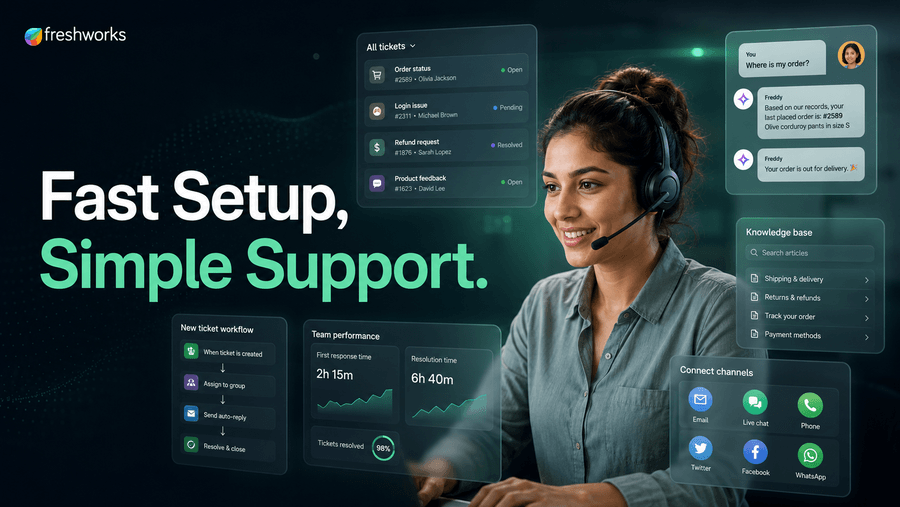
Freshdesk’s bet is on simplicity and rapid deployment. A small support team can be operational within days. The pricing is accessible, the interface is intuitive, and the core ticketing and channel management capabilities are solid for teams managing moderate inbound volume.
The ceiling appears at scale. Teams that grow past approximately 50 agents or need to build complex routing logic, predictive dialing, or sophisticated workforce management often find themselves either hitting Freshdesk’s capability limits or paying for enterprise tiers that put it in cost competition with more capable platforms. It’s an excellent starting point; it’s a less obvious choice for teams that can see their own growth clearly.
Dialpad: built around AI coaching, which either fits your workflow or doesn’t
Dialpad’s central bet is that real-time AI assistance during live calls, surfacing talking points, flagging sentiment shifts, transcribing conversations automatically, is the capability that will define contact centre performance over the next few years. Everything else is built around that core.
For sales-led teams where call quality and rep performance are the primary levers, that bet aligns well. The AI coaching layer is genuinely useful and not just a features-list item. For support-heavy operations where the priority is routing accuracy and resolution speed rather than per-call coaching, it’s a strong capability attached to a platform that may not fit the broader workflow as well as alternatives.

Five9: outbound-first, with the depth that comes with that focus
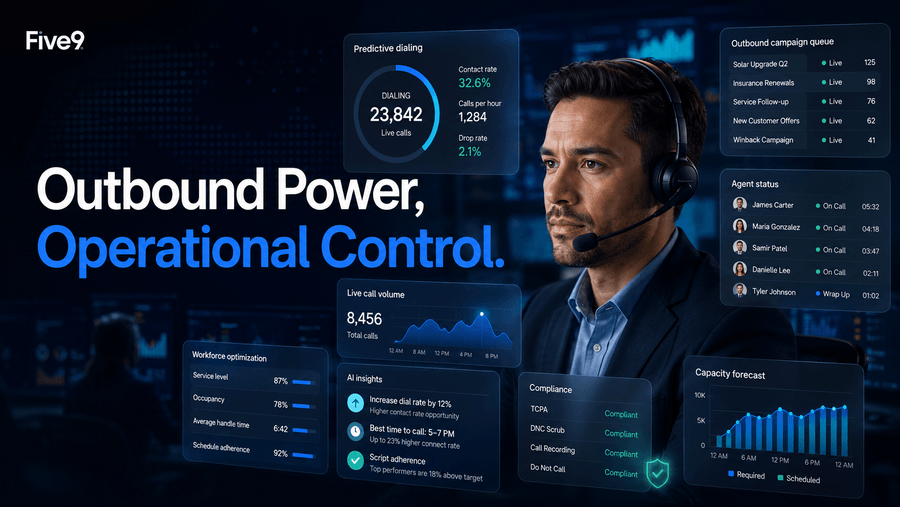
Five9 has built its strongest capabilities around outbound operations: predictive dialing, compliance management for outbound campaigns, workforce optimization at high agent counts. BPOs and outbound sales operations running large agent pools are the natural fit.
Inbound-heavy operations evaluating Five9 should test specifically whether the inbound experience matches the outbound depth, because the platform’s development priorities have historically tilted toward outbound. The workforce management tooling is strong regardless of call direction, which is a genuine differentiator for operations that need precise scheduling and capacity forecasting.
Matching platform to operating model
The shortlist logic that actually holds up in practice is simpler than most comparison guides suggest. Three questions narrow it meaningfully:
Is your primary operation inbound support, outbound sales, or a genuine mix? Pure inbound support with moderate volume points toward Freshdesk or TabaTalk. Outbound-heavy or BPO operations point toward Five9 or Voiso. Mixed operations with significant AI requirements point toward Dialpad or Genesys depending on scale.
Are you deploying in the GCC region or running operations where Middle East telephony infrastructure matters? TabaTalk’s regional optimization is a legitimate differentiator here that no other platform on this list matches.
What does your 18-month headcount trajectory look like? If you’re at 30 agents now and expect to be at 120 in 18 months, evaluate at 120, not at 30. Several platforms that look well-priced at current scale become expensive at growth, and re-platforming at 80 agents is far more disruptive than choosing the right platform at 30.
What to actually test when you get a demo
Platform demos are controlled environments. Vendors show you the workflows that work well. The evaluation questions worth pushing on are the ones that reveal where the platform has made choices that may not fit your context.
| What to test | Why it matters |
| Simulate a channel transfer mid-conversation, start in chat, escalate to voice | Tests whether context actually follows the customer or just lives in theory |
| Ask the rep to build a routing rule change live, without IT involvement | Reveals whether operations teams can manage the platform day-to-day |
| Request a demo with your actual CRM connected, not their sandbox data | Integration quality often looks different with real data and real authentication |
| Ask what the most common support ticket their customers raise | Tells you more about real-world friction than any feature walkthrough |
| Run a scenario where an agent handles three simultaneous chat threads | Tests workspace usability under realistic load, not ideal conditions |
| Ask for a reference customer in your industry and size range | Validates deployment experience, not just product capability |
The question that almost always reveals something useful: ask the sales rep what kind of customer is a bad fit for their platform. A rep who answers that question specifically and honestly is selling a product they understand. A rep who deflects it is selling a product that claims to fit everyone, which is a design philosophy, and not usually a good one.
One thing worth knowing before you finalize a shortlist
The platform decision gets more attention than the implementation decision, and that’s usually backwards. A well-implemented mid-tier platform outperforms a poorly implemented enterprise one within six months of deployment. The implementation questions, who owns configuration changes after go-live, what the CRM integration actually requires, how long number porting takes in your region, often determine outcomes more than platform capability.
Before finalizing any shortlist, get a concrete answer from each vendor on two things: what does the implementation process look like specifically for a team of your size, and what percentage of customers in your size range complete deployment within their expected timeline. That second question in particular is rarely asked and almost always revealing.
TabaTalk’s short deployment timeline is a genuine advantage in that context, not because faster deployment is always better, but because delayed go-lives have real costs that don’t appear in per-seat pricing comparisons. For teams that need operational improvement within a quarter rather than a year, that deployment speed is worth weighting heavily.